
Ready to give In Marketing We Trust access to your Google Search Console? Great! We’re ready too.
You don’t need to worry about sharing your login details with us. Below we outline the simple steps to add us to Google Search Console as a full user. Granting access as a full user is the most secure and efficient way for our SEO team to help you with your data, get accurate reports and check the health of your website.
You can grant user access at an Owner, Full User or Restricted User level.
We recommend adding In Marketing We Trust as a Full User, so we can help you get the most from your account. Full access also enables our technical SEO specialists to investigate indexing, crawling, sitemap and other website health issues directly in Search Console.
User permissions:
*Restricted Users only receive messages that specifically affect them.
Let’s get started.
How to Add Your Agency to Google Search Console
1. Sign in to search.google.com/search-console/
2. Select the correct property from the dropdown menu on the left
Google Search Console is sensitive to matching domain names exactly. This means you may have multiple properties that need to be shared with us. Please ensure you go through these steps for each property that needs to be shared.
3. Click on Settings in the left dropdown
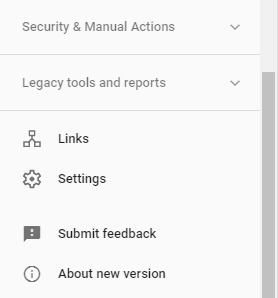
4. Select Users and Permissions
5. Click on Add User in the top right

6. Under Add User, in the email section type in [email protected]
7. Ensure Permissions is set to “Full”
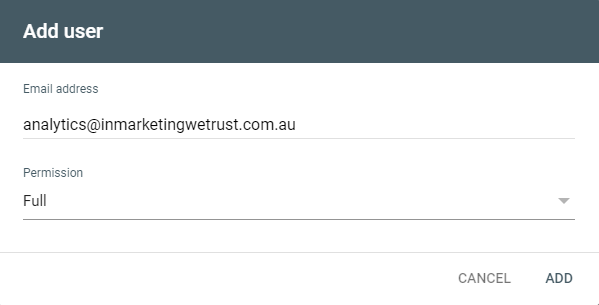 8. Click Add
Now we’re all set!
Don’t forget to go through and add [email protected] to each property if you have multiple domains.
To find out how to add your agency to your other marketing tools and best practices on protecting your company, visit our access page for more information.
Need help identifying and resolving issues in Search Console? Our technical SEO services can help uncover crawling, indexing and website health problems that may be affecting your organic search performance.